Some teachers, when trying to check the enrolment key in their course, or to set a new key, discover to their dismay that the box of the enrolment key displays their Moodle password!
This effect is caused by the autofill or autocomplete function of the browser that they are using. Autofill is a functionality in modern browsers that allows users to store their log in information in the browser. It makes it easy to log in to sites, because you do not have to remember your username or password, the browser fills them in automatically. However, this poses a security risk and Moodle users, especially teachers, should never allow their browser to remember their username and password, especially those who log in with their school network account that also gives access to all other school services!
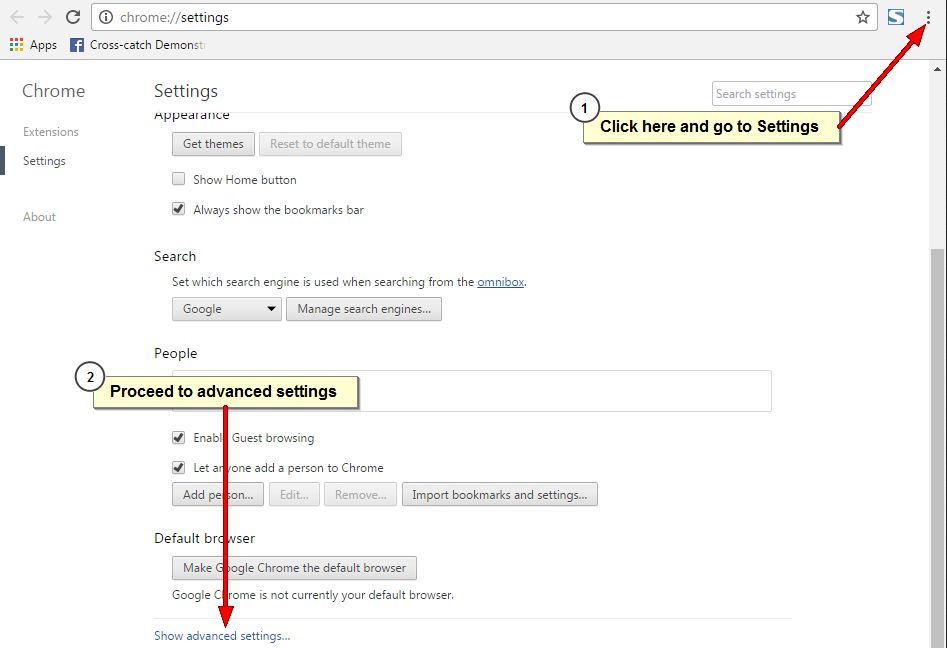
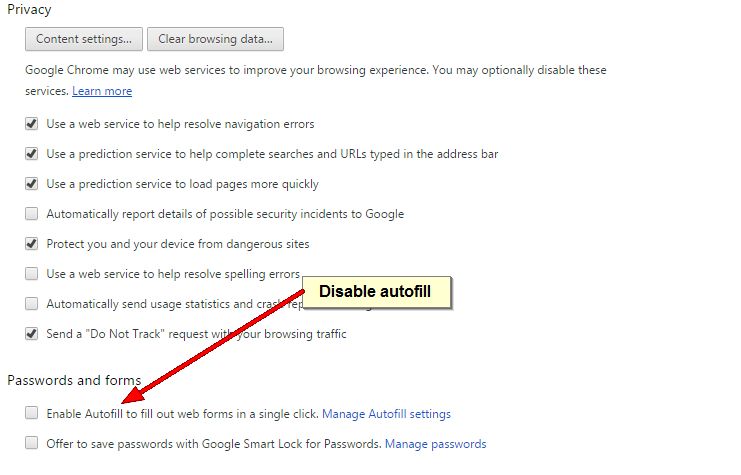
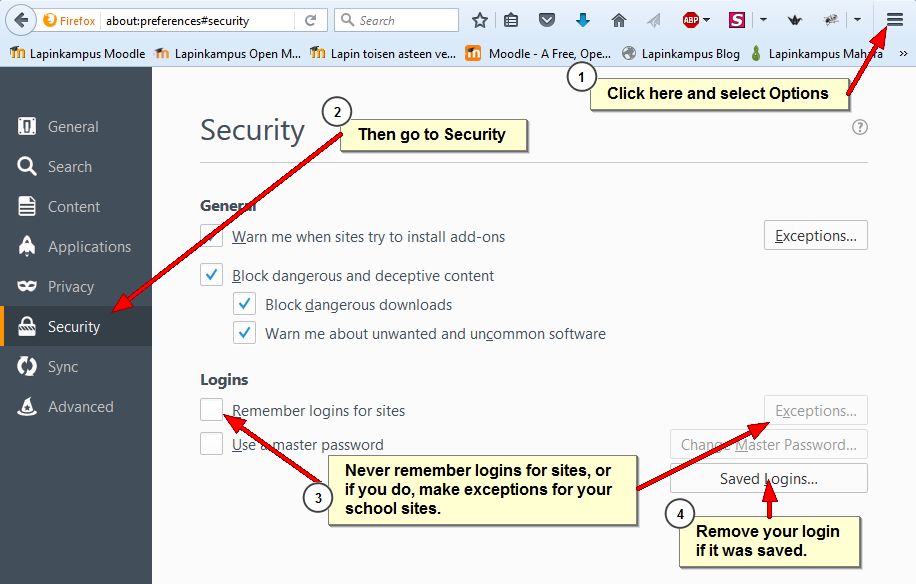
Here are instructions on how to turn off autocomplete in the recommended browsers Firefox and Chrome.
Mozilla Firefox
Google Chrome