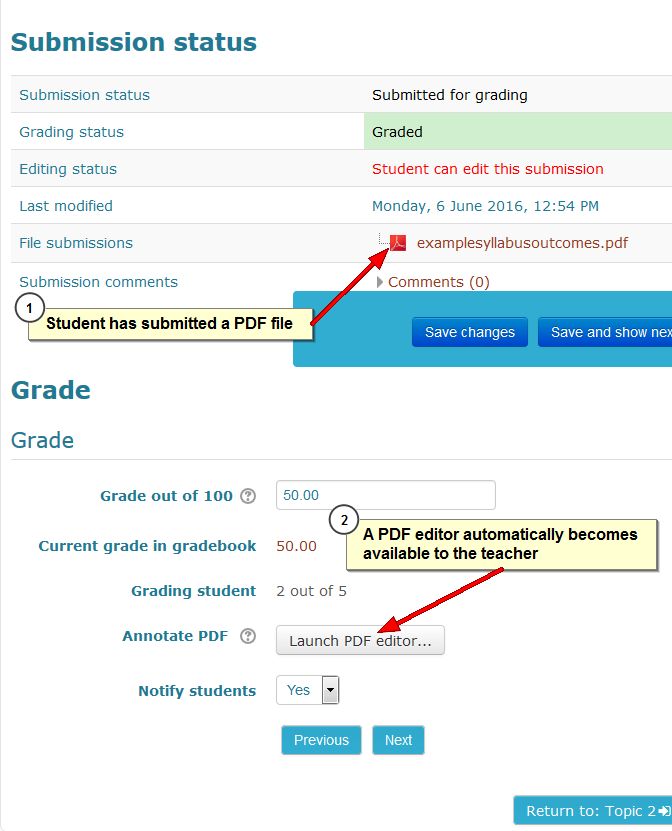
The assignment module in Moodle 3 looks almost the same as in Moodle 2.7. In the assignment settings you may notice that under submission types, if on-line text is chosen as submission type, a maximum word limit may be set, so as to force students to adhere to brevity, for example, in summaries or reports.
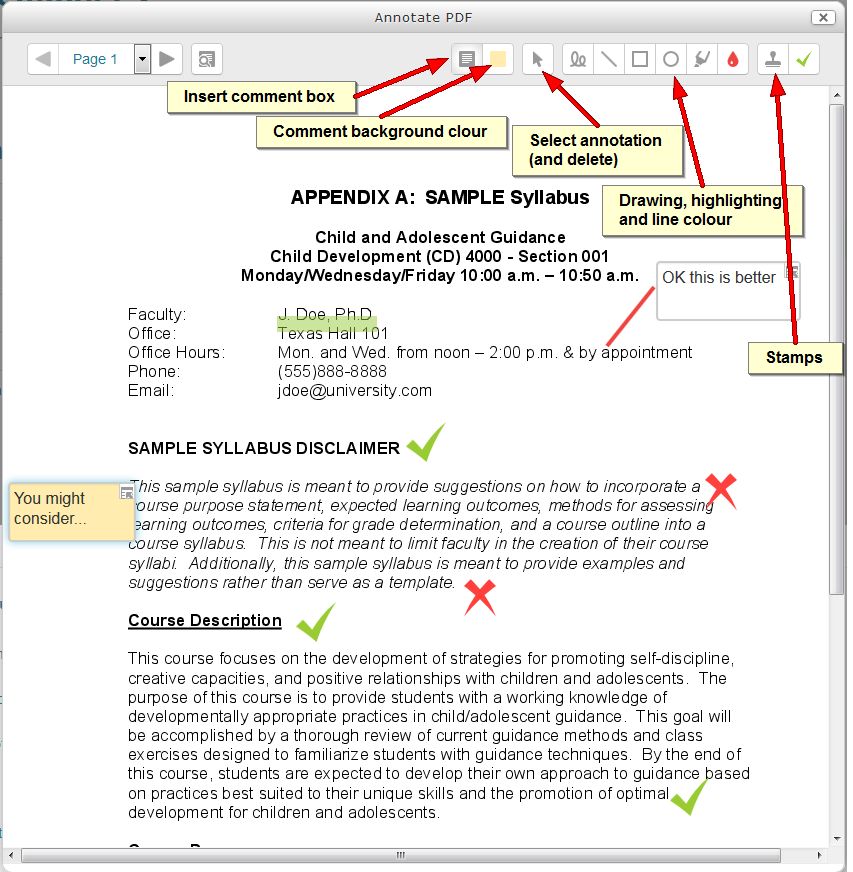
The most notable new feature in the assignment, however, only becomes visible when a student submits a PDF file. PDF files are unwieldy and sometimes impossible to annotate for teachers. To deal with this, Moodle 3 contains a simple PDF editor, as shown in the pictures below: