Lapland University of Applied Sciences has rolled out Google Apps for Education (GAFE) to all students and staff. GAFE offers great opportunities for joint creation of material and for video discussion via Google Hangouts. While it may seem GAFE is a stand alone service, it can serve as an on-line repository in our Moodle virtual learning environment. Here are a few ways in which to draw Google drive files into a Moodle course (It depends on your role in the Moodle course which ones of these options you can apply).
Linked from an HTML editor
You can link to any file in your GAFE drive from any HTML editor in your Moodle course, e.g. a forum message, the description of an activity, a wiki page, or a Page resource. The process starts with writing some text that your file is linked to and then execute the following steps (you can click the pictures to see them at true size):
Step 1
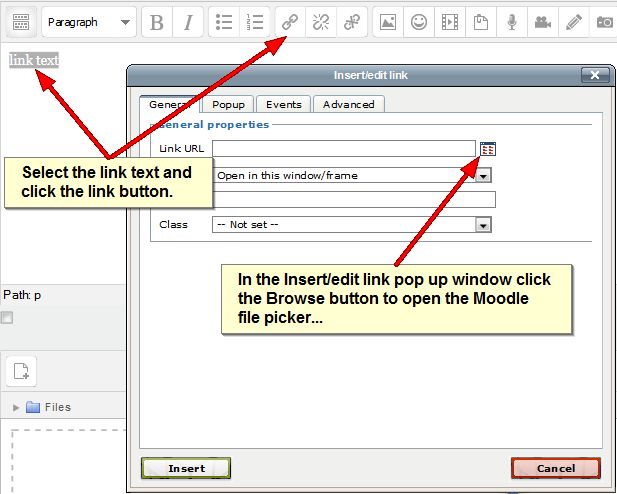 Step 2
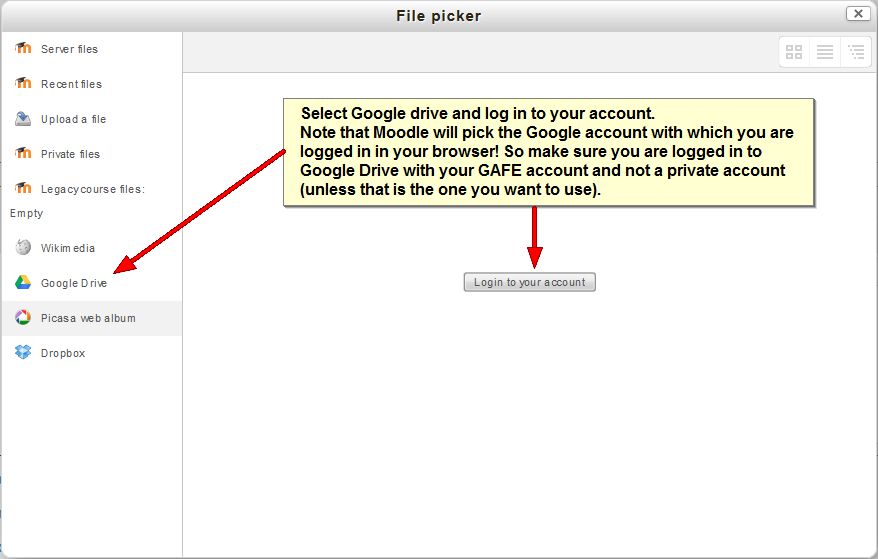 Step 3
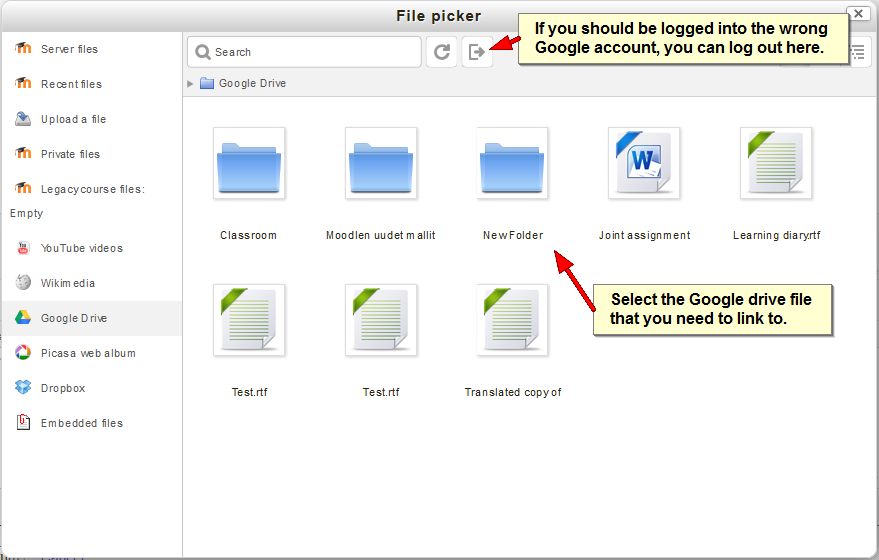 Step 4
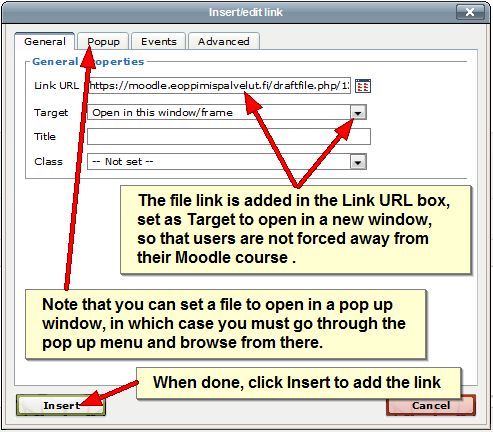 When the link is added to the text, you can complete your text, but don’t forget to submit your text /save changes / post your message. The text will display with an active link. Clicking the link will download the file from your GAFE drive to the user’s computer that will try to open it with a suitable Office application.
As a File resource
Instead of adding a file from your GAFE drive as a link to a piece to text, you can also add a GAFE drive file to the course page. To do that you turn editing on on the course page and click the Add an activity or resource link at the bottom of a course section. In the resulting pop up window, scroll down and under RESOURCES, select File. The following settings page will open:
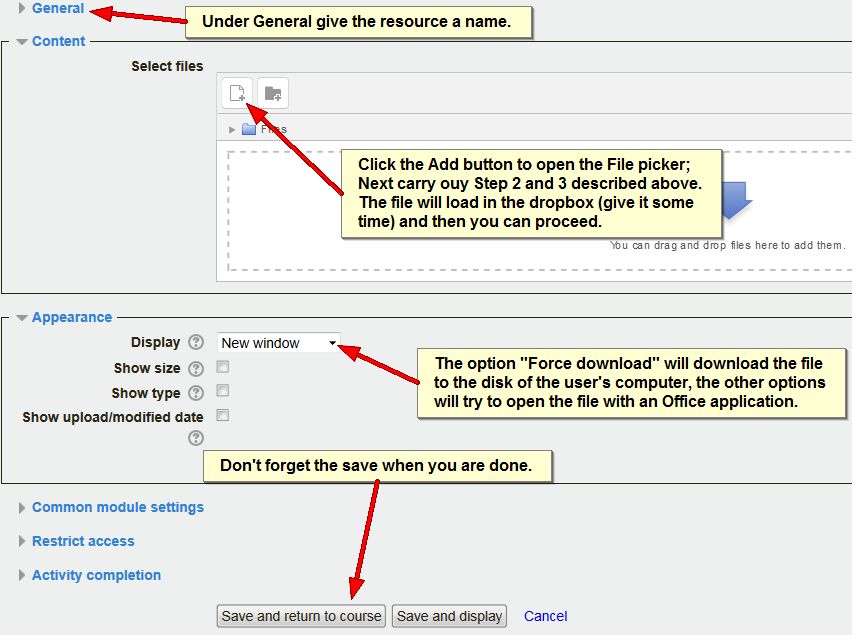
Note that the Select files dropbox in the image above also appears in other places, like the attachment box to forum message or the submission box in an assignment. You can, of course, insert GAFE Drive files in those as well!
As a URL resource
The above two options download a copy of the file from GAFE Drive to the user’s computer. Any edits the user makes in the file will not appear in the original file in GAFE Drive, since that file is only editable in GAFE Drive. To have users edit a file in your GAFE Drive, you can share the file via a link as shown below (Click the pic for a better view):
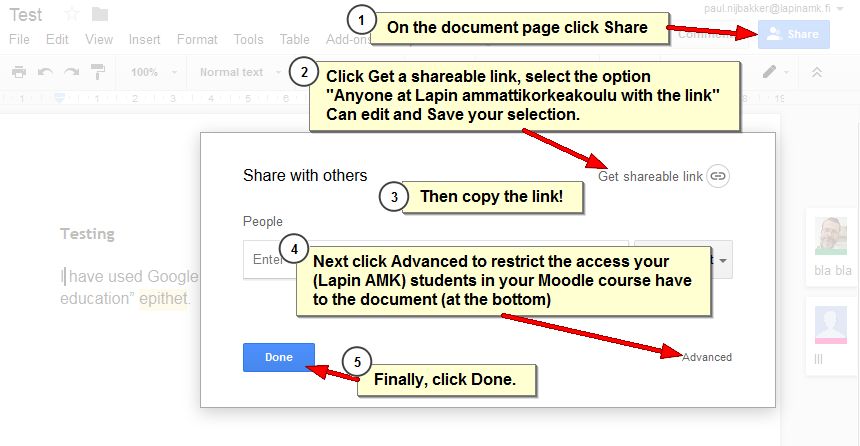
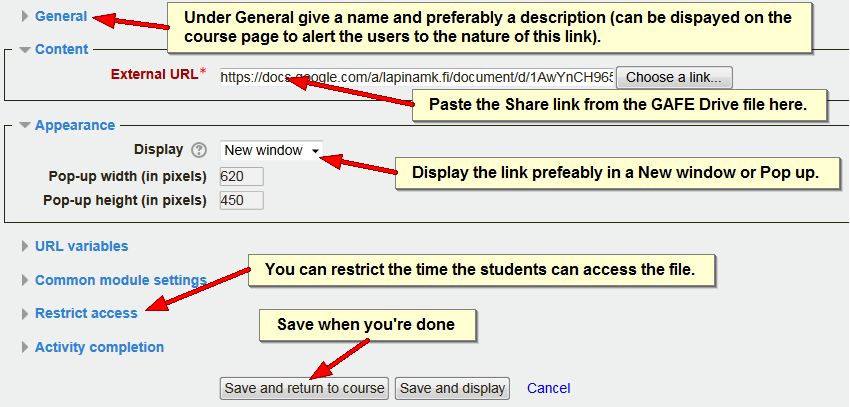
Next you can add that copied Share link either to an HTML editor as described above (except that in Step 1, you do not click Browse, but paste the share link in the link URL box and then jump to Step 4), OR you can add it as a resource on the course page. To do that you turn editing on on the course page and click the Add an activity or resource link at the bottom of a course section. In the resulting pop up window, scroll down and under RESOURCES, select URL. The following settings page will open:
Embedded in an HTML editor
Finally, it is possible to post an editable Google drive document inside an HTML editor in Moodle. This allows users to navigate and edit the document from the Moodle page. This is a bit more complex and involves some codes that not everyone has rights to use in Moodle on account of possible security issues. Therefore, if you want to achieve this, contact us at the eLearning Centre for assistance.
YouTube
As YouTube is presently a Google service, it is often seen as part of GAFE. Needless to say, Moodle offers an option to link to YouTube videos too via the File picker as you could already see in Step 3 above. You can embed the videos in any HTML editor:
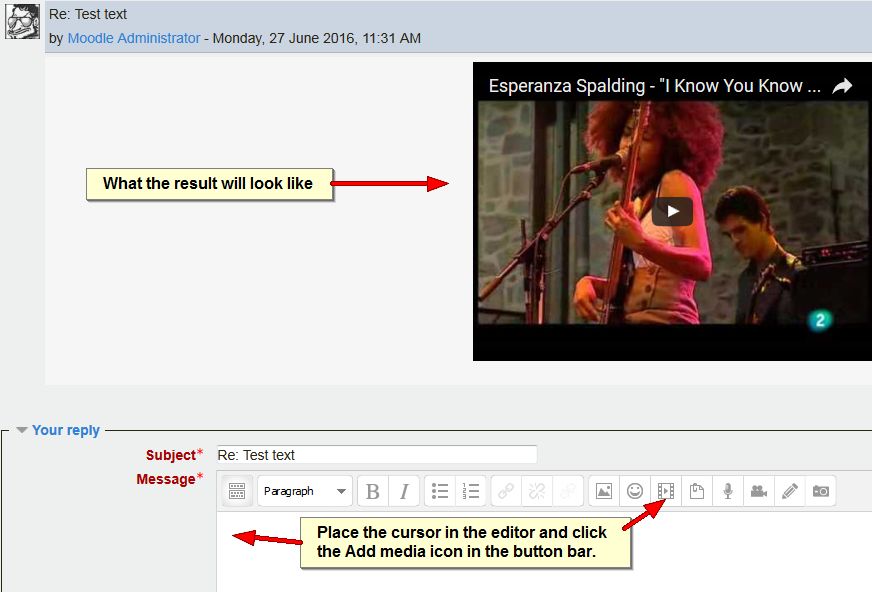 In the Insert Moodle media pop up window that opens click Find or upload a sound, video or applet… This opens the file picker:
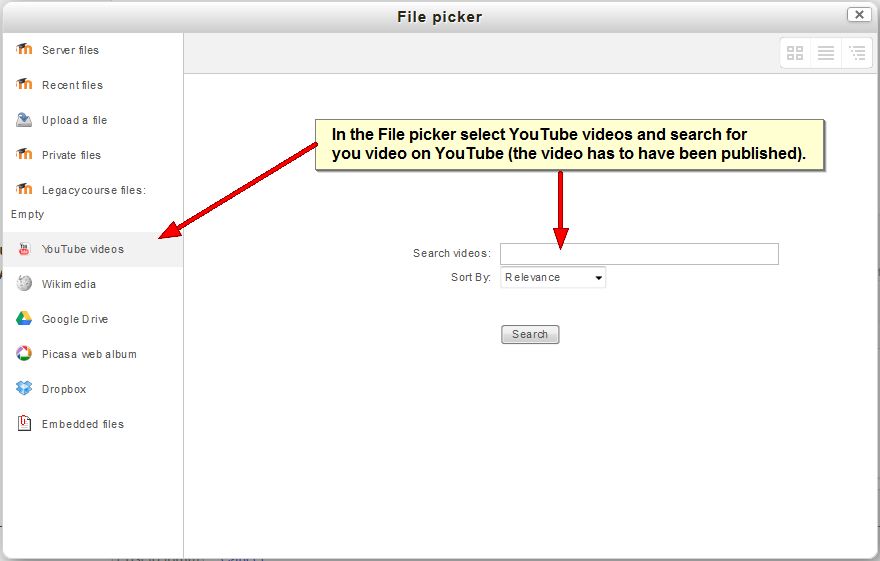 Once you have selected the video, click the Insert button on the Insert Moodle media pop up. This will add a link in the editor that, when you save changes /post the message will embed the video.
As you can see, there are multiple options to connect your GAFE files to your Moodle courses (and we have not even mentioned Mahara ;-)).