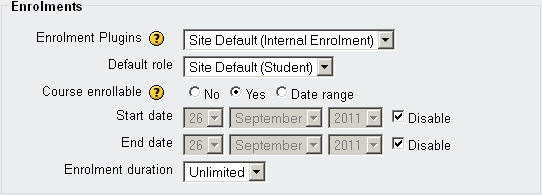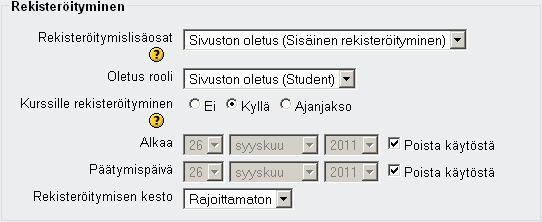
For several years now, the Moodle installations of Lappia – The Municipal Education and Training Consortium of Kemi and Tornionlaakso – have been in Moodle version 1.9.x. Moodle 1.9.x has proven to be a very stable and satisfactory version, but Moodle development has not stopped there. During the summer of 2012 the main Moodle environments of Lappia (i.e. Lappia Moodle and Lapin verkkokoulu Moodle) will be upgraded to Moodle version 2.2.x. This upgrade will bring a lot of improved functionality to Moodle, but it will also bring about a certain amount of pain, especially since our users are so familiar with Moodle 1.9.x.
Moodle 2, as signified by the jump in generation number, looks and feels initially quite different from Moodle 1.9. All users will have to take some time to get used to the new version. Hence, the eLearning Centre has upgraded the third Lappia Moodle installation (Lappia Open Moodle) in advance of the rest. This will offer to all interested parties the opportunity to check out Moodle 2.2. The eLearning Centre will also release a number of eVinkki blogs on the subject and naturally, we will make a brand new user manual for this version of Moodle.
Navigation and Settings
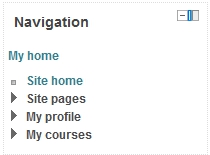
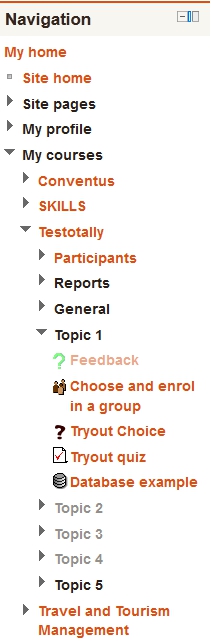
One of the first changes the Moodle 1.9 user will notice in Moodle 2.2 is the new navigation. In order to move from one tool to another in Moodle 1.9 a user had to click back to the course pages or even the MyMoodle page and then click forward again. Access to one’s user profile was either via the Profile link in the Administration block of a course, or by clicking one’s name elsewhere. These and other navigation functions have been replaced by one block in Moodle 2. The Navigation block is present on all pages, always allowing the user to jump to any other point in Moodle that they have access to, i.e. it is not only possible to jump between courses, but to jump straight between different activities in different courses! Once users have become acquainted with this, it will help to shorten the click stream, and thus the number of pages that need to be displayed before a user arrives at his or her destination.
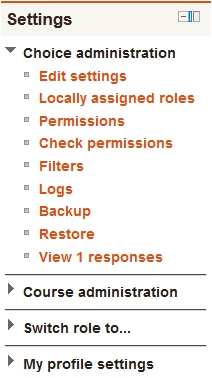
The Navigation block in Moodle 2 is always accompanied by another new block, the Settings block. The settings block also combines a number of functions that were in separate places in Moodle 1.9. The task of the Settings block is to give the user access to whatever editing functions they have access to on the page where they find themselves. The above implies that the Settings block will display different options depending on where in Moodle the user finds him- or herself and on what role they have, i.e. teachers will see more edit options than students. Thus the settings block replaces the Administration block of Moodle 1.9, but unlike the Administration block, it is present on every page. If a teacher moves into an assignment, the Settings block will display edit options for that assignment. The point of this new block is again rationalisation of functionality and shortening of the click stream, but like the Navigation block, it will take some getting used to.
Lappia users who wish to check out Moodle 2.2 before the summer, can create an ID for themselves in Lappia Open Moodle and request access to one of the Test courses from the eLearning Centre.